 Shorts
Post to TikTok from your computer, right on time
Upload a finished video, write the caption, choose who can see it and pick the moment. ShortsPost publishes it to your TikTok account now or exactly when you scheduled it.
- Free for every creator
- No watermarks added
- Disconnect and delete data any time
Everything you need to post from a desktop
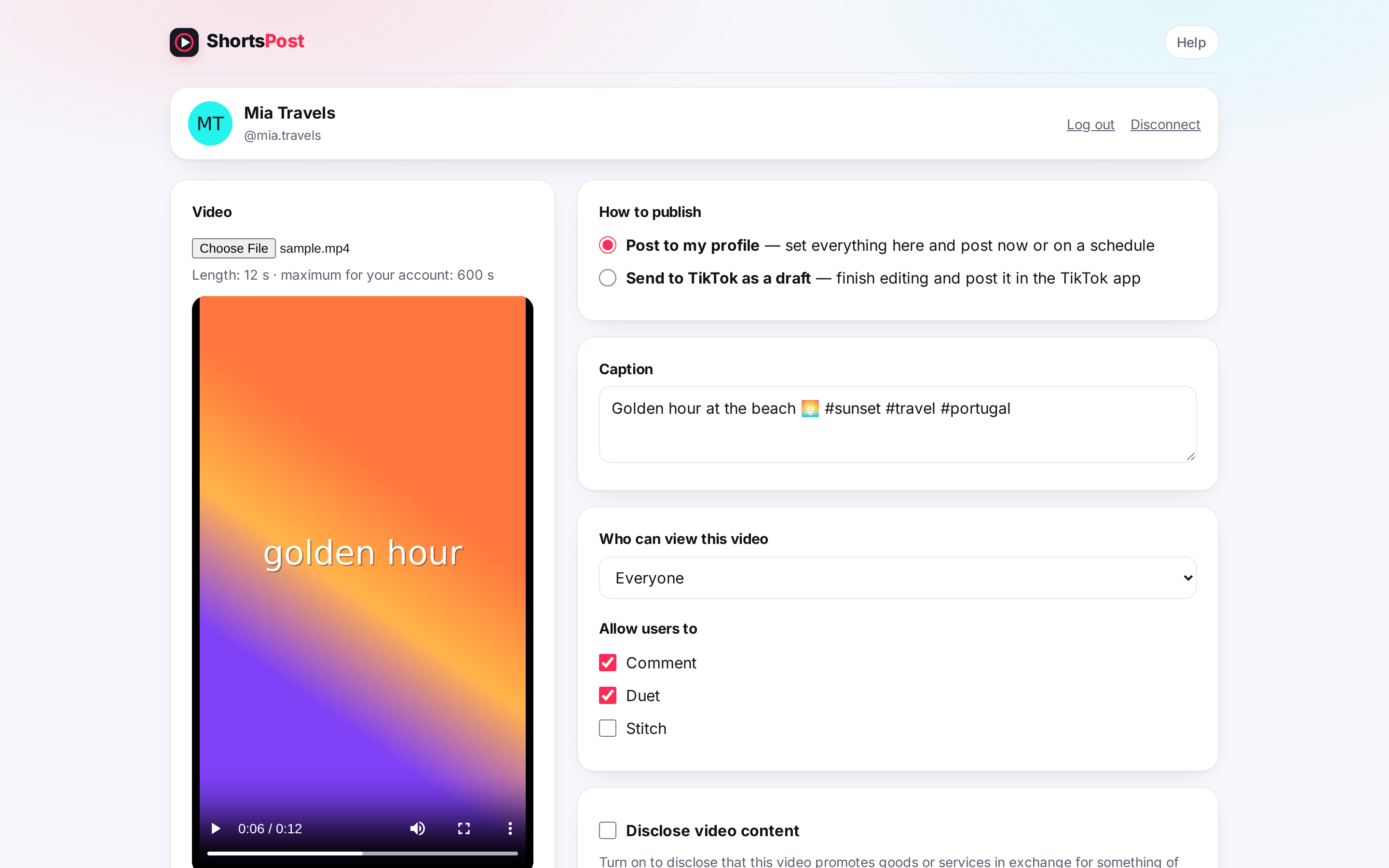
Edit on your computer and publish without moving files to your phone. Every setting stays in your hands.
Post now or schedule
Publish immediately or queue up to 20 videos for the next 30 days, in your own time zone.
Full control per post
Caption, privacy level, comments, Duet, Stitch and commercial content disclosure, chosen by you every time.
Send as a draft
Prefer to add sounds and effects in the app? Send the video to your TikTok inbox and finish it on your phone.
Track every post
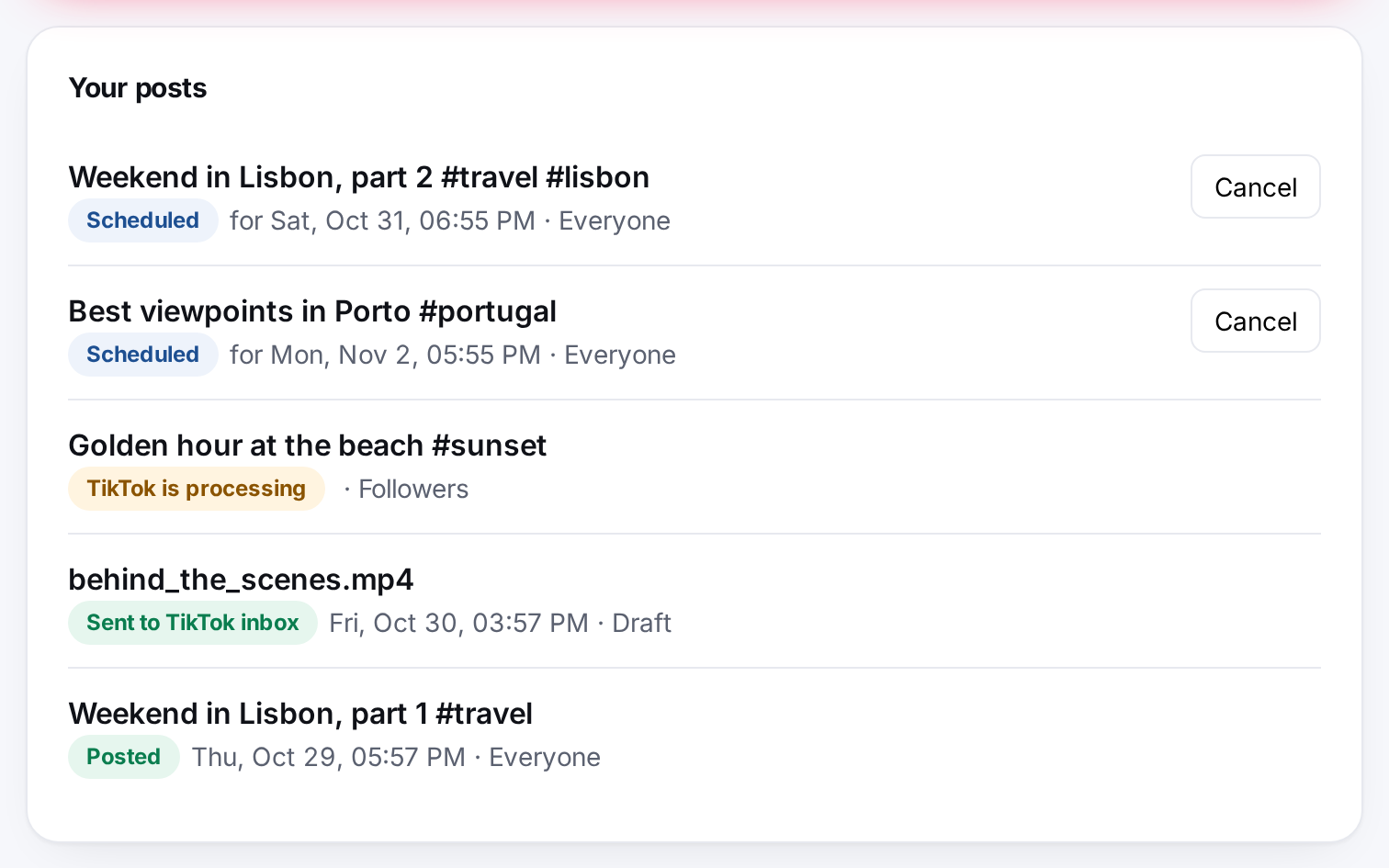
See what is scheduled, processing or live, with clear reasons if TikTok refuses a post. Cancel any time.
Your whole schedule at a glance
Every video you send through ShortsPost appears in one list with a live status. Scheduled posts can be cancelled until they start uploading, and files are deleted as soon as they are no longer needed.
- Scheduled, Uploading, Processing, Posted and Sent to inbox statuses
- Times shown in your local time zone
- Published even when your computer is off
From file to profile in four steps
No new account, no password to remember. You log in with TikTok on TikTok's own page.
- Connect TikTokApprove access on TikTok's authorization page. We never see your password.
- Choose a videoPick an MP4 or MOV file from your computer and write the caption.
- Set the detailsChoose who can view it, allowed interactions and disclosure if needed.
- Post or schedulePublish now, pick a time, or send it to your TikTok inbox as a draft.
Private by design
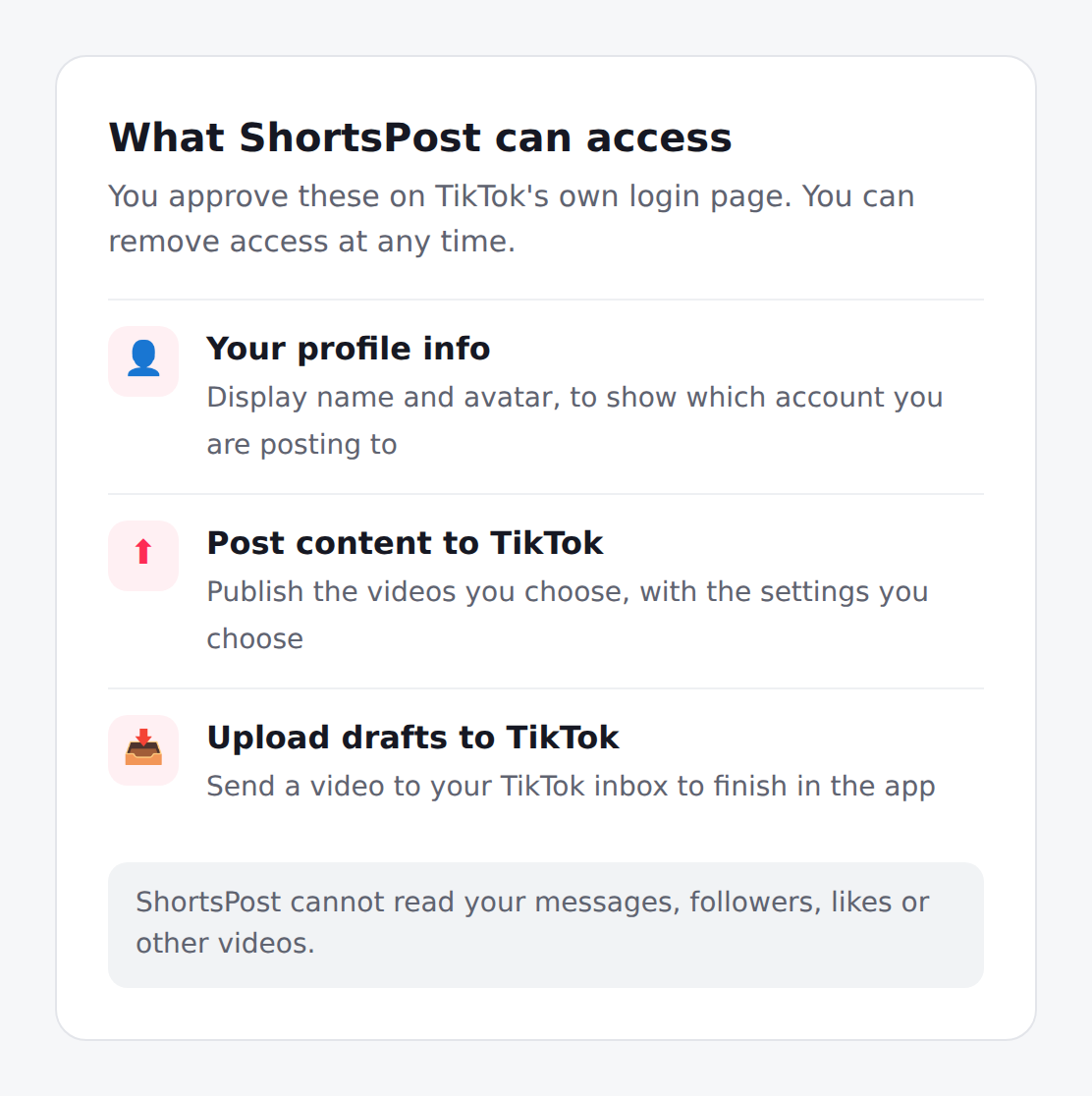
ShortsPost asks TikTok only for what it needs to post for you. It cannot read your messages, followers or other videos, and nothing is ever posted without your action.
- Video files are deleted right after publishing
- No ads, no trackers, no selling of data
- "Disconnect" revokes access and deletes everything
How much does ShortsPost cost?
Nothing. ShortsPost is free to use.
Which TikTok permissions does it use?
Your basic profile (name and avatar), permission to publish the videos you choose, and permission to send a video to your TikTok inbox as a draft. Nothing else.
Does my computer need to stay on for scheduled posts?
No. Scheduled videos are kept on our server until the time you picked, published, and then deleted.
How do I remove my data?
Press Disconnect on your dashboard. It revokes ShortsPost's access with TikTok and deletes your tokens, scheduled posts, files and history.
Start posting from your computer
Connect your TikTok account in under a minute. Free, and you can disconnect at any time.
Get started with TikTok